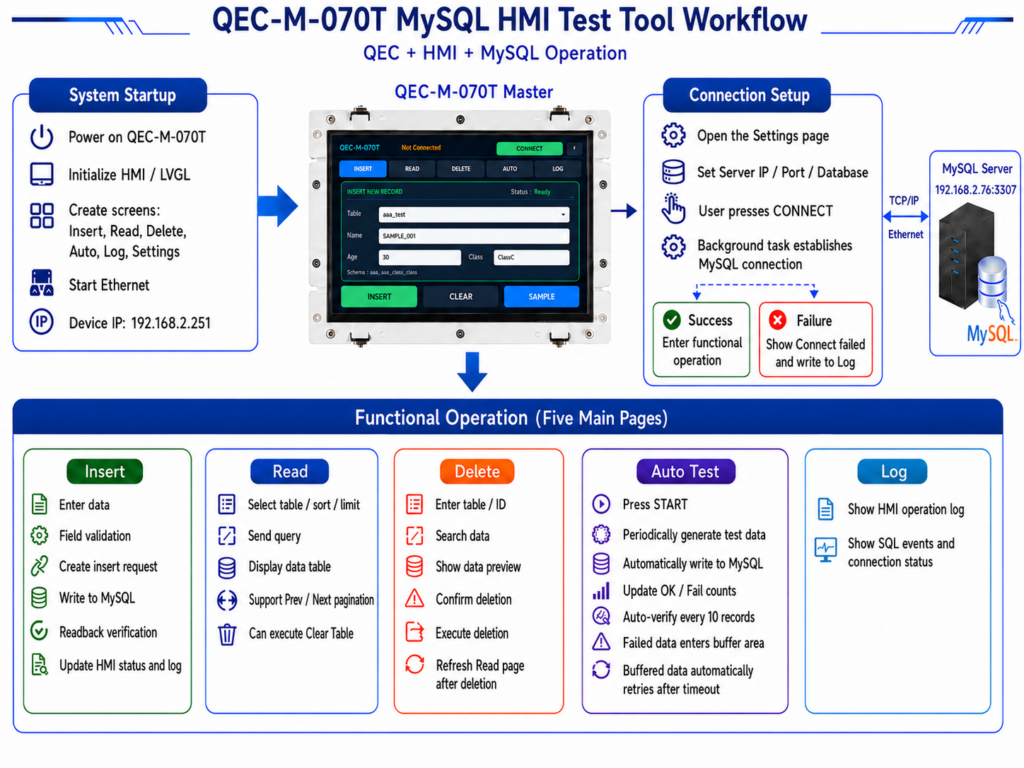
The QEC MySQL HMI Test Tool is a graphical MySQL validation tool that runs on the QEC-M-070T platform. With the 800 x 480 touchscreen HMI, users can connect to a MySQL Server over Ethernet, insert test records, read table data, delete records safely, run automatic write tests, and review operation logs directly from the panel.
This example is designed as a beginner-friendly test tool and tutorial demo. It helps users understand the complete path from HMI operation to SQL execution and back to on-screen feedback, without building a full production database management system first.
1. At a glance
- Connect to a MySQL / MariaDB server from the QEC-M-070T over Ethernet TCP/IP.
- Insert manual test records from the HMI and verify database writes immediately.
- Read table records with sorting, limit selection, pagination, and total row count.
- Delete records through a safe FIND → PREVIEW → DELETE → CONFIRM workflow.
- Run Auto Test to periodically write simulated data and track OK / FAIL results.
- Use LOG and Retry Buffer to review SQL results and retry failed automatic inserts.
2. Feature Overview
This tool provides six HMI pages, each designed for a specific part of the MySQL test workflow. Users can connect to the database, insert records, read table data, delete records, run automatic tests, and review logs step by step.
2.1 INSERT — Manual test record entry
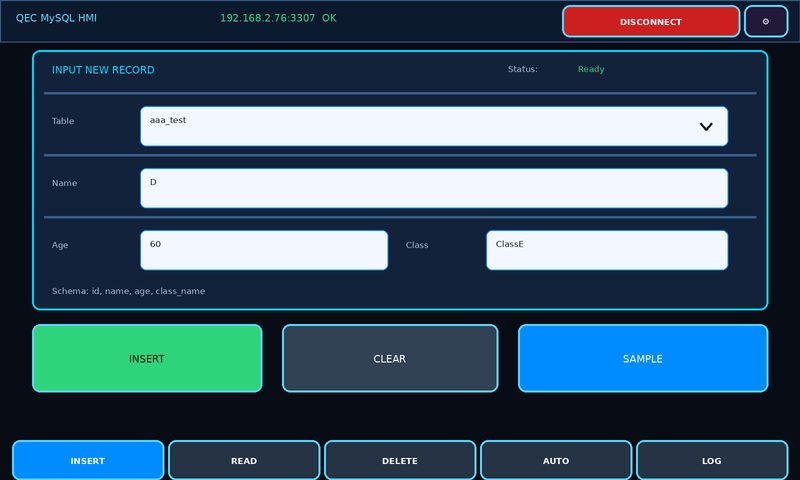
The INSERT page is used to manually write one test record. The user selects a table, enters name, age, and class, and presses INSERT. The HMI then queues an SQL INSERT operation and displays the result.
2.2 READ — Query records with pagination
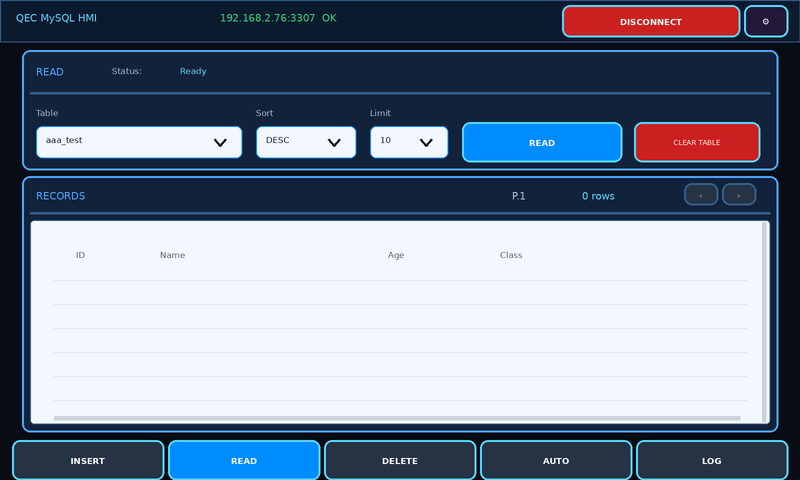
The READ page queries table records with selectable table, sort direction, and row limit. It also shows the current page, record range, total count, and provides PREV / NEXT buttons for browsing.
2.3 DELETE — Safe deletion after lookup
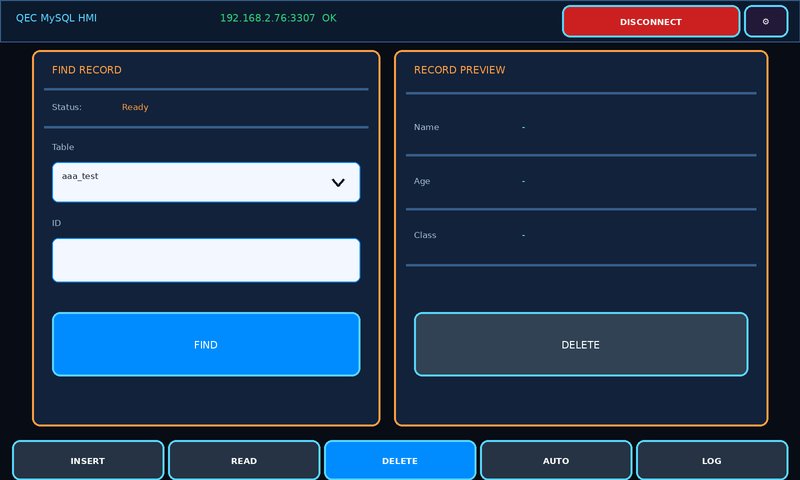
The DELETE page first finds a record by ID and displays its preview. The user must confirm the operation before the tool sends the DELETE command, reducing the risk of accidental data removal during testing.
2.4 AUTO — Automatic write test
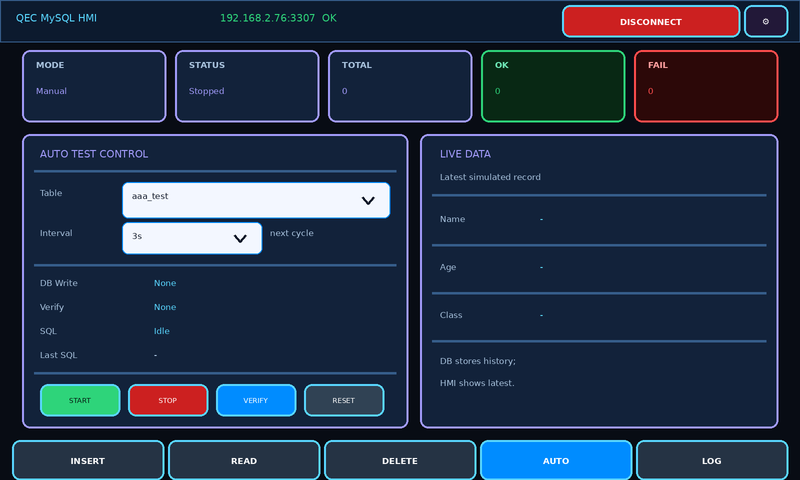
The AUTO page periodically writes simulated records to the selected table. It shows total operations, OK / FAIL count, latest SQL time, readback status, and the latest simulated data.
2.5 LOG — Operation log and retry buffer
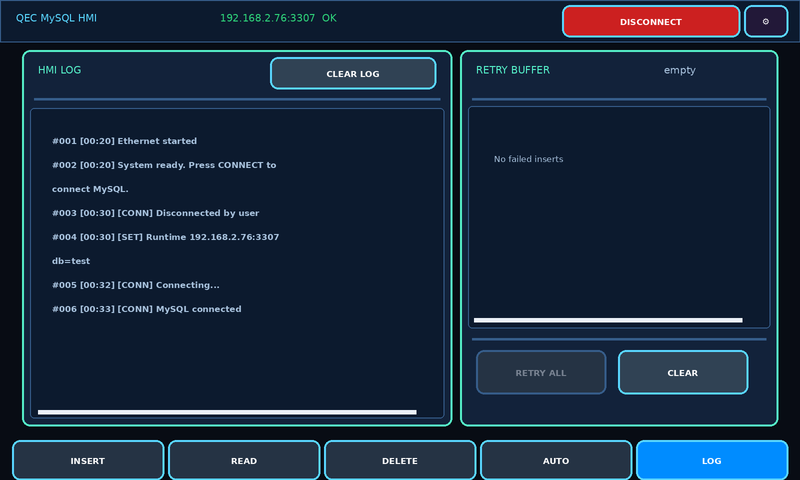
The LOG page records connection events, SQL operations, Auto Test status, and error messages. Failed automatic inserts are stored in the Retry Buffer and can be sent again with RETRY ALL.
2.6 SETTINGS — Runtime connection settings
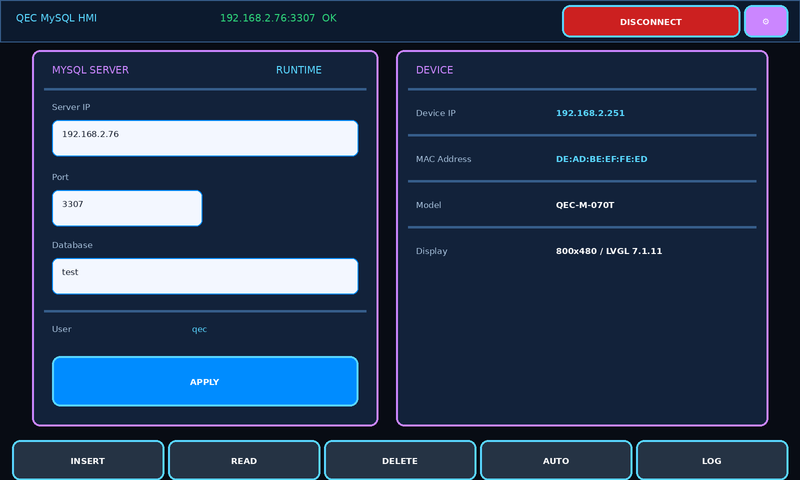
The SETTINGS page allows the user to modify Server IP, Port, and Database during runtime. These settings are temporary runtime settings and return to the sketch defaults after reboot.
3. First end-to-end test workflow
The following workflow validates the complete MySQL HMI path from connection to write, read, delete, automatic test, and log review.
- Power on the QEC-M-070T and confirm the HMI header shows Not Connected.
- Press CONNECT and confirm that the status changes to Connected.
- On the INSERT page, select
aaa_test, press SAMPLE, and then press INSERT. - Switch to the READ page, select
aaa_test, set Sort to DESC, set Limit to 10, and press READ. - Confirm that the newly written record appears in the RECORDS table.
- Switch to the DELETE page, enter the record ID, press FIND, and confirm the preview data.
- Press DELETE and confirm again to remove the record.
- Return to the READ page and query again to confirm the record has been removed.
- Switch to the AUTO page, select
aaa_testand a 3s interval, then press START. - Observe TOTAL / OK / FAIL, Last SQL, and the LOG page records, then press STOP.
4. What you need
| Component | Requirement |
| QEC MDevice | QEC-M-070T or compatible QEC HMI |
| Network | Ethernet connection between the QEC device and MySQL Server |
| Database | MySQL / MariaDB server reachable from the QEC device |
| Tables | aaa_test and bbb_test with id, name, age, and class_name |
| Libraries | LVGL 7.1.11, SCoop, Ethernet TCP/IP, MySQL library |
5. Important note
This example is intended for teaching, validation, and test-tool usage in a closed LAN or lab environment. For production systems, add proper access control, command validation, SQL protection, error handling, and secure network design.
The runtime SETTINGS page can temporarily change Server IP, Port, and Database. After reboot, the device returns to the sketch defaults.
6. Resources
- Development Guide PDF: QEC_MySQL_Test_Tool_EN | QEC_MySQL_Test_Tool_CN
- 86Duino side source code: QEC_MySQL_Test_Tool.zip
- 86Duino IDE and QEC software tools: Software
7. Next steps
This MySQL HMI Test Tool can be extended with schema checking, richer device data formats, connection keep-alive, permission management, SQL parameter protection, and more detailed error classification for production-oriented systems.
We will continue to deliver robust and innovative EtherCAT automation platforms for smarter, faster machine integration. For more info and sample requests, please write to info@icop.com.tw, call your nearest ICOP Branch, or contact our Worldwide Official Distributor.