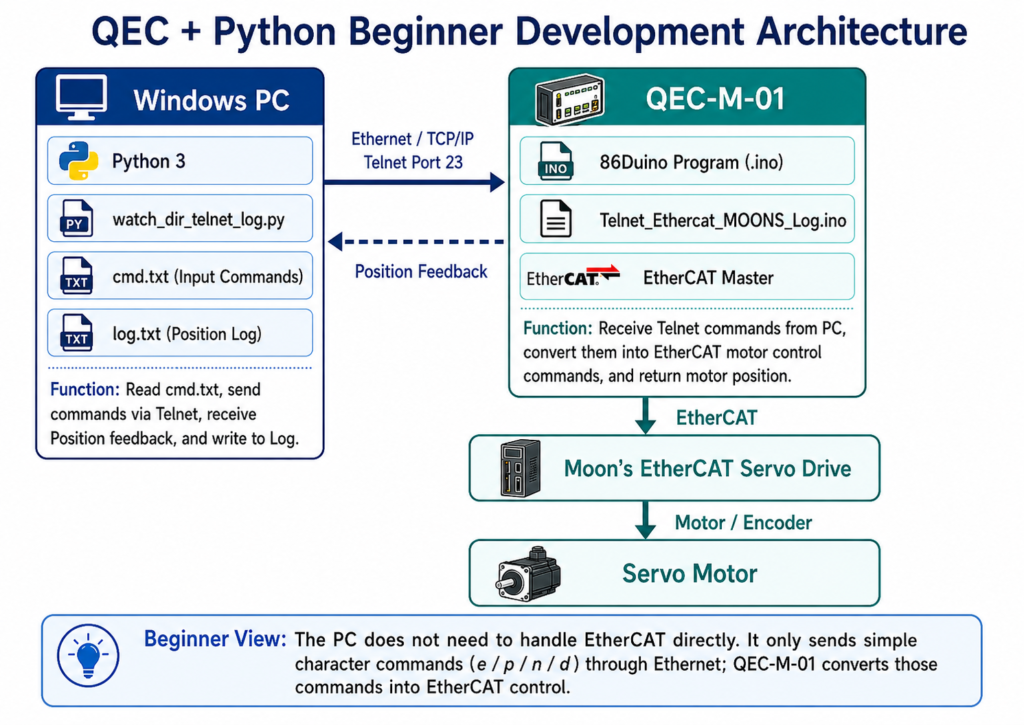
This tutorial demonstrates how to remotely control an EtherCAT motor using Python over standard Ethernet.
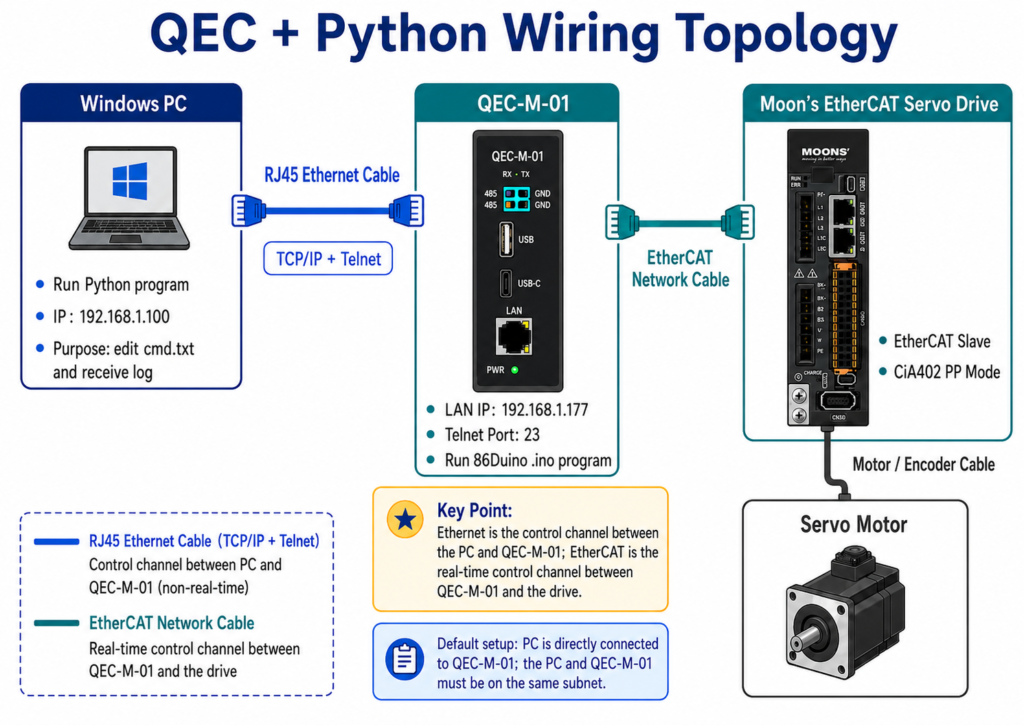
A Windows PC sends simple commands to a QEC-M-01 running an 86Duino sketch. The QEC-M-01 handles EtherCAT CiA402 motor control and returns motor position feedback for logging.
The PC side does not need to handle EtherCAT directly. It only sends TCP/IP commands, while QEC-M-01 converts them into real-time EtherCAT motor control actions.
1. At a glance
With this example, you can:
- Control a Moon’s EtherCAT servo drive from a Windows PC
- Send motor commands through a simple
cmd.txtfile - Record motor position feedback into
log.txt - Use Python for quick testing, data logging, or upper-level automation
- Keep real-time EtherCAT control on the QEC-M-01
No special PC-side EtherCAT SDK is required.
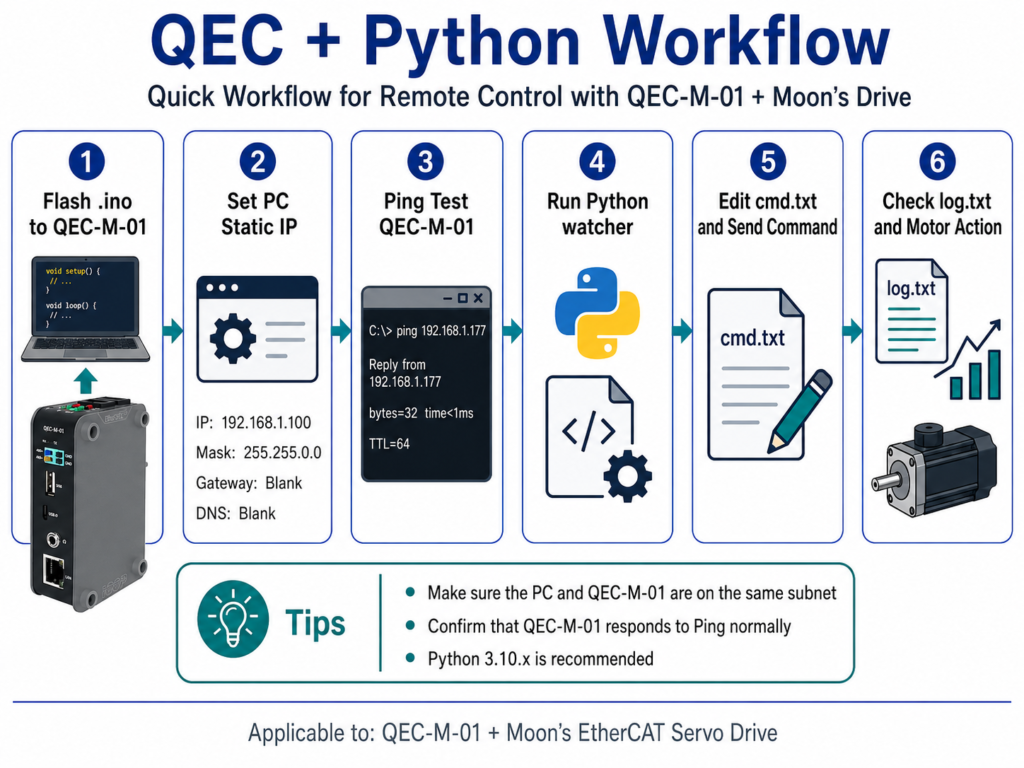
2. Workflow
The workflow is simple:
- Flash the
.inosketch to QEC-M-01 - Set the PC static IP
- Ping QEC-M-01
- Run the Python watcher
- Edit
cmd.txtand send commands - Check
log.txtand motor action
In this example, QEC-M-01 uses 192.168.1.177, and the PC uses 192.168.1.100.
3. Command example
Once the Python watcher is running, edit and save cmd.txt to control the motor.
| cmd.txt | Action | Description |
|---|---|---|
e | Enable | Enable the motor |
p | Move + | Move to +100,000 pulses |
n | Move – | Move to -100,000 pulses |
d | Disable | Disable the motor |
The Python program detects file changes and sends the command to QEC-M-01 automatically.
4. What you need
- QEC-M-01 EtherCAT MDevice
- Moon’s EtherCAT servo drive, CiA402-compatible
- Windows PC
- Ethernet cable
- 86Duino IDE
- Python 3.10.x recommended
5. Important note
Telnet is used in this tutorial for demonstration and testing in a closed LAN or lab environment.
For production systems, use a controlled TCP/socket protocol with authentication, command validation, or encryption as required.
6. Resources
Download the complete development guide and source code below.
- Development Guide PDF: QEC_DevGuide_Python_Telnet_EN_v1r2 | QEC_DevGuide_Python_Telnet_ZH_v1r2
- 86Duino side source code:
QEC_Python_Telnet_86DuinoCode.zip - PC side Python source code:
QEC_Python_Telnet_PythonCode.zip
7. Next steps
This example can be extended to multi-axis EtherCAT control, Python GUI tools, custom HMI software, data logging, SCADA/MES integration, or automated test systems.